
STATTRACK · CARAVAN UPGRADE PLANNER
Stoneshard Caravan Upgrade Planner
Double-click the four in-game upgrade trees to mark your current state, then see available upgrades and a complete material total.
5 Upgraded8 Available105 Upgrade materials
Current caravan state
Click a node for details. Double-click to mark or unmark it. On touch screens, use the button in the detail panel.
Planner progress is saved automatically on this device.
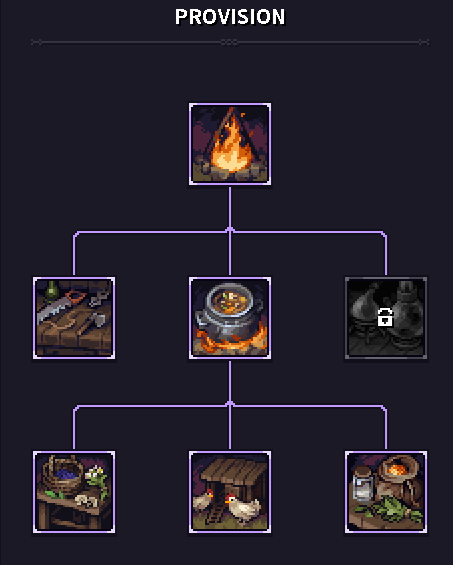
UpgradedAvailableRequirements not metUnavailable in this version
Available next upgrades
Provision
- Toolbox ×1 · Nails ×2
- Huge Cauldron ×1 · Ladle ×1 · Charcoal Chunk ×2
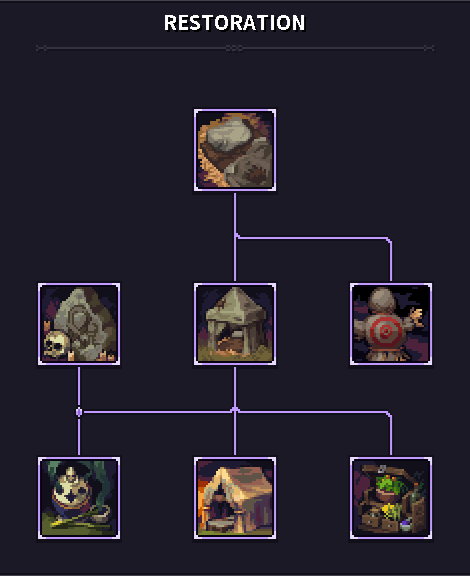
Restoration
- Canvas Roll ×1 · Rope ×1 · Spool of Thread ×1 · Straw ×2
- Straw Dummy ×1 · Straw ×2
- Hieronite Altar ×1 · Wax Candle ×1 · Altar Bell ×1
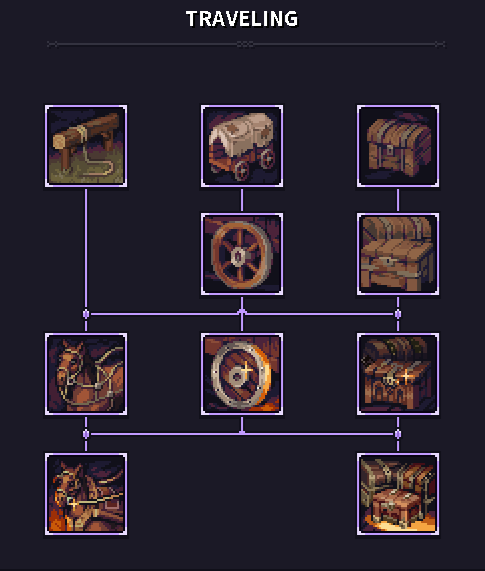
Traveling
- Set of Sturdy Wheels ×1 · Bottle of Oil ×1 · Carpenter Hammer ×1
- Sturdy Chest ×1 · Rope ×1 · Nails ×3
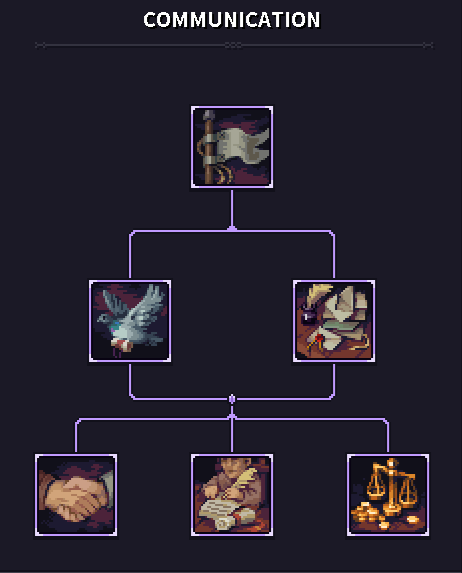
Communication
- Foldable Flagpole ×1
All unbuilt upgrade materials
Caravan-specific items come first in dependency order; other materials are grouped by type and quantity. Shrine materials follow the selected origin.
MaterialTotalUsed by
Caravan upgrade items
 Hieronite Altar×1Praying Spot
 Foldable Flagpole×1Caravan Banner
 Toolbox×1Workbench
 Huge Cauldron×1Cooking Spot
 Canvas Roll×1Modest Tent
 Straw Dummy×1Training Area
 Set of Sturdy Wheels×1Sturdy Wheels
 Sturdy Chest×1Sturdy Chest
 Cage with Pigeons×1Messenger Pigeons
 Pile of Letters×1Web of Contacts
 Foraging Supplies×1Foraging Table
 Cages with Chickens×1Chicken Coop
 Spice Box×1Special Spices
 Incense Burner×1Soothing Incense
 Hardy Tent Cloth×1Roomy Tent
 Apothecary Box×1Herbal Remedies
 Quality Reins×1Fitting Accouterments
 Set of Ironbound Wheels×1Ironbound Wheels
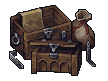 Spacious Chests×1Spacious Chests
 Signed Permit×1Old Favors
 Directives×1Local Informants
 Letter of Trading Authority×1Trade Preferences
 Reinforced Harness×1Сustom-Made Gear
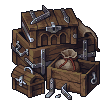 Ironbound Chests×1Ironbound Chests
commodity
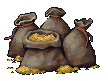 Sacks of Grain×2Chicken Coop · Messenger Pigeons
food
 Garlic×2Special Spices
 Ginger Root×2Special Spices
 Leek×2Special Spices
 Onion×2Special Spices
ingredient
 Burnet×2Herbal Remedies
 Mindwort×2Herbal Remedies
 Spearmint×2Special Spices
 Thyme×2Herbal Remedies
junk
 Bucket×2Chicken Coop · Messenger Pigeons
 Ladle×1Cooking Spot
material
 Nails×20Workbench · Sturdy Chest · Fitting Accouterments · Ironbound Wheels · Spacious Chests · Ironbound Chests
 Rope×9Modest Tent · Roomy Tent · Sturdy Chest · Spacious Chests · Сustom-Made Gear · Ironbound Chests
 Straw×7Modest Tent · Training Area · Roomy Tent
 Bottle of Oil×3Sturdy Wheels · Ironbound Wheels
 Charcoal Chunk×2Cooking Spot
 Wax Candle×1Praying Spot
tool
 Shovel×1Foraging Table
 Sickle×1Foraging Table
valuable
 Horseshoe×8Fitting Accouterments
 Incense×2Soothing Incense
 Spool of Thread×2Modest Tent · Roomy Tent
 Altar Bell×1Praying Spot
 Censer×1Soothing Incense
 cloth×1Сustom-Made Gear
weapons
 Carpenter Hammer×1Sturdy Wheels
Caravan upgrade rules at a glance
- Basic nodes start as owned. In dependency mode, removing one also removes upgrades that depend on it.
- Some nodes require both prerequisites and a minimum number of completed non-basic upgrades.
- The Shrine changes its name, icon, and materials with character origin.
Frequently asked questions
Why can’t I double-click some nodes?
With dependencies enforced, a node can only be marked after its prerequisites and upgrade-count gate are met. Disable the rule to model a long-term route freely.
Does the material total include completed upgrades?
No. The total recalculates immediately whenever a node is marked or unmarked.